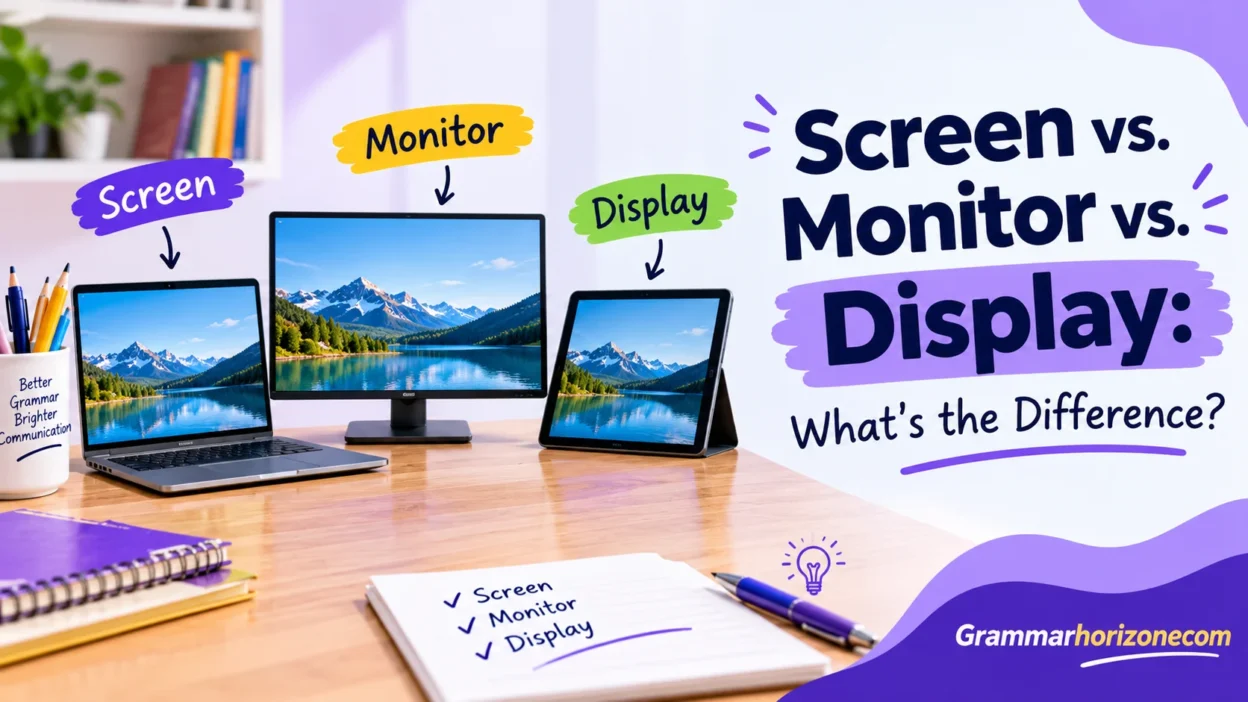
The phrase screenm vs monitor vs display highlights the differences between three closely related terms used in everyday English and technology. People often use screen, monitor, and display interchangeably, but their meanings depend on the device and situation. Computers, smartphones, televisions, and other electronic devices use these features to present visual information. A screen usually means the viewing area or visible surface, a monitor generally refers to a separate device, and a display has a broader meaning that includes the display panel, display technology, and the act of showing information.
In practical use, a laptop screen or built-in screen is part of a portable computer, while an external monitor is a connected device commonly used with a desktop computer or laptop. A computer monitor is electronic hardware that receives a video signal and produces visual output. Depending on the context, its visible area may be called a screen surface, display surface, or viewing surface. Related expressions include screen technology, monitor terminology, display terminology, technical terms, contextual meaning, word usage, and terminology. When comparing products, consider the device function, screen features, monitor features, and display characteristics instead of assuming every term means the same thing.
From a technical perspective, display technology explains how a panel produces images, while image production, image display, and visual presentation describe how content reaches the viewer. A display panel can present visual content, digital content, and electronic images through a visual interface. These hardware components work within computer systems and consumer electronics to support information presentation and visual communication. Terms such as screen comparison, monitor comparison, and display comparison explain the differences, while screen definition, monitor definition, and display definition clarify their meanings.
Quick Answer: Screen vs. Monitor vs. Display
The main difference between screen, monitor, and display is what each word describes.
- Screen: The visible surface or area where images, text, videos, and other visual content appear. For example, a smartphone screen shows messages and applications.
- Monitor: An electronic device that receives and presents visual output from a computer or another connected source. For example, a desktop computer monitor displays documents, games, and software.
- Display: A broader term that can refer to a screen, a complete visual-output device, the technology used to produce images, or the presentation of information. For example, an OLED display uses organic light-emitting diodes to produce images.
In simple terms, a screen usually refers to the viewing surface, a monitor usually refers to a complete device, and a display can refer to the surface, device, or technology that presents visual information.
These definitions overlap in everyday conversation. For instance, people commonly say “computer screen” when referring to an entire monitor. The context determines which term is most appropriate.
What Is a Screen?
A screen is the surface or visible area on which images, text, videos, and other visual information appear. Screens are found in smartphones, laptops, tablets, televisions, digital cameras, and many other devices.
The primary purpose of a screen is to make visual information available to the user. Depending on the device, it may show text, photographs, videos, application interfaces, games, or other content.
In everyday English, screen can refer to the visible panel or the viewing area of an entire device. For example, when someone says, “My phone screen is cracked,” they usually mean that the phone’s front viewing surface has been damaged.
A screen does not always need to generate images electronically. A projector screen, for example, provides a surface onto which a projector casts an image. This means the word can describe both electronic viewing surfaces and surfaces used to display projected content.
Common Types of Screens
Smartphone screens
Smartphone screens show messages, applications, photographs, videos, and other digital content. Many modern smartphones use LCD or OLED technology. Touch-sensitive layers also allow users to interact with icons, menus, and applications directly.
Laptop screens
A laptop screen is built into the computer. It allows users to view the operating system, browse the internet, edit documents, attend video meetings, and perform other tasks without connecting a separate monitor.
Television screens
Television screens present broadcast channels, streaming content, movies, sports, and video games. People commonly use the terms TV screen and TV display to describe the same viewing area.
Projector screens
A projector screen provides a surface for displaying images produced by a projector. Unlike a typical electronic screen, it does not create the image itself. Instead, it reflects or diffuses projected light so viewers can see the picture.
Tablet screens
Tablet screens combine a relatively large viewing area with a portable design. Most modern tablets use touchscreens, allowing users to write, draw, browse, read, and control applications by touching the surface.
Examples of Screen in a Sentence
Here are some examples showing how to use the word screen correctly:
- “I spend several hours each day looking at my computer screen.”
- “The technician replaced the cracked screen on my smartphone.”
- “Please share the presentation on the conference room screen.”
- “The laptop screen is bright enough for everyday office work.”
- “Fingerprints can make a touchscreen difficult to read.”
- “I prefer a larger screen when watching movies.”
In these examples, screen refers to the viewing surface or area rather than a separate electronic device.
When Should You Use the Word Screen?
Use screen when the visible viewing area is the main subject of your sentence.
For example, if your phone has a scratch, saying “The screen is scratched” is natural and clear. If you want to adjust the brightness of your laptop, you might say, “I need to increase my screen brightness.”
The word is also commonly used in expressions such as:
- Screen size
- Screen resolution
- Screen protector
- Screen damage
- Touchscreen controls
- Screen brightness
However, manufacturers sometimes use the word display in technical specifications, particularly when discussing panel technology, color accuracy, and overall image quality.
What Is a Monitor?
A monitor is an electronic output device that presents visual information received from a computer or another connected source. It displays images, text, videos, graphics, and software interfaces.
A desktop monitor is generally a separate device from the computer itself. You can connect it to a desktop PC, laptop, or compatible gaming console. A monitor typically includes a display panel, electronic components, a housing, and connections for receiving video signals.
Unlike a laptop screen, which is built into the computer, an external monitor can usually be replaced or upgraded independently. This makes monitors useful for people who want a larger viewing area, improved visual performance, or additional workspace.
Monitors come in many sizes and configurations. Some are designed for basic office work, while others focus on gaming, color accuracy, professional design, or specialized applications.
Common Types of Monitors
Desktop computer monitors
Desktop monitors are designed for everyday computing tasks, including browsing, writing, spreadsheets, online meetings, and office applications. They connect to a computer through compatible video connections, such as HDMI or DisplayPort.
Gaming monitors
Gaming monitors often prioritize high refresh rates, low response times, and adaptive synchronization. These features can make fast-moving scenes appear smoother and help reduce visual problems such as screen tearing.
For example, a 144 Hz monitor can refresh its image up to 144 times per second. Whether this produces a noticeable benefit depends on the content, the computer’s performance, and the monitor’s other specifications.
Professional monitors
Professional monitors are used by photographers, graphic designers, video editors, and other creative workers. Depending on the task, they may offer accurate color reproduction, broad color coverage, high resolution, and calibration options.
These features help professionals produce work that looks consistent across compatible devices.
Medical monitors
Medical monitors are used in healthcare environments to present clinical information and diagnostic images. Some specialized displays are designed for viewing radiology images and must meet particular performance and calibration requirements.
Ultrawide monitors
Ultrawide monitors have wider aspect ratios than conventional widescreen monitors. They can provide extra horizontal workspace for multitasking, video editing, spreadsheets, and certain games.
Examples of Monitor in a Sentence
The following examples show how to use the word monitor naturally:
- “I bought a 27-inch monitor for my home office.”
- “The computer monitor supports a higher refresh rate than my old one.”
- “She connected two monitors to her workstation.”
- “This monitor reproduces colors accurately for photo editing.”
- “The IT department replaced the faulty monitor in the conference room.”
- “I need a second monitor to manage several applications at once.”
In these sentences, monitor refers to the electronic device rather than just its viewing surface.
When Should You Use the Word Monitor?
Use monitor when referring to a dedicated electronic device that displays visual output, especially one connected to a computer.
For example, “I need a second monitor for my workstation” clearly means you want another physical display device. Saying “I need a second screen” can communicate the same idea, but it may be less specific.
Monitor is also commonly used in expressions such as:
- Computer monitor
- Gaming monitor
- Monitor size
- Monitor resolution
- Monitor refresh rate
- Dual-monitor setup
The word monitor has other meanings, too. It can refer to a device that tracks or measures something, such as a heart monitor, or to the act of observing and checking a process. However, in the context of screen vs. monitor vs. display, it usually refers to visual-output hardware.
What Is a Display?
A display is a broad term for a device, panel, or system that presents visual information. In electronics, it often refers to the component that produces visible images from electronic signals.
The word can describe a complete product, such as a computer display, or the panel technology used inside a device. For example, a smartphone may have an OLED display, while a desktop monitor may contain an LCD display panel.
Display can also refer to the act of showing information. For example, a computer application displays an error message when something goes wrong. In this sentence, display is a verb rather than a noun describing hardware.
This flexibility makes the word display especially useful in technical writing. Manufacturers often use it when discussing resolution, brightness, contrast, color reproduction, and panel technology.
Common Types of Displays
LCD displays
LCD stands for liquid-crystal display. LCD panels use liquid crystals to control how light passes through the panel. Most conventional LCD displays require a backlight to make the image visible.
LCD technology is widely used in monitors, laptops, televisions, and other electronic devices.
LED-backlit LCD displays
Many products marketed as LED displays are actually LCD panels that use light-emitting diodes for backlighting. The LEDs illuminate the LCD panel, which controls the light to create the image.
This distinction matters because LED backlighting does not automatically mean that each pixel produces its own light.
OLED displays
OLED stands for organic light-emitting diode. Unlike conventional LCD panels, OLED displays use pixels that emit their own light. Individual pixels can turn off to produce deep blacks, which can result in very high contrast.
OLED technology is used in many smartphones, televisions, and some computer monitors.
Touchscreen displays
A touchscreen display combines visual output with touch-sensitive input. It allows users to interact directly with the interface by tapping, swiping, or using compatible styluses.
Smartphones, tablets, interactive kiosks, and many modern laptops use touchscreen technology.
Digital signage displays
Digital signage displays present advertisements, announcements, menus, directions, and other information in public or commercial spaces. You may see them in shopping malls, airports, restaurants, offices, and transportation stations.
Examples of Display in a Sentence
Here are examples of how to use display correctly:
- “The laptop has a high-resolution display.”
- “This smartphone uses an OLED display.”
- “The display looks dim in direct sunlight.”
- “The software displays a warning when the battery runs low.”
- “The company installed a digital display in the reception area.”
- “The monitor’s display supports a 165 Hz refresh rate.”
These examples show that display can describe a physical component, a visual-output system, or the act of presenting information.
When Should You Use the Word Display?
Use display when discussing visual output in a general or technical sense. It is especially useful when you do not need to distinguish between a built-in screen and a separate monitor.
For example, a product description might say, “The device features a 14-inch OLED display.” This statement identifies the size and technology without specifying whether the panel is built into a laptop, tablet, or another device.
Display is also appropriate when discussing image quality and technical features, including:
- Display technology
- Display resolution
- Display brightness
- Display contrast
- Display color accuracy
- Display panel
When used as a verb, display means to show or present something. For example, “The application displays your account information on the home page.”
Screen vs. Monitor vs. Display: Key Differences
The difference between screen, monitor, and display becomes easier to understand when you compare their meanings, functions, and typical applications.
| Feature | Screen | Monitor | Display |
| Basic meaning | Viewing surface or visible area | Electronic visual-output device | Visual-output hardware, panel, technology, or presentation |
| Typical example | Smartphone screen | Desktop computer monitor | OLED display |
| Usually a separate device? | No | Usually, in desktop computing | May be separate or built in |
| Common applications | Phones, laptops, TVs, projectors | Desktop PCs, gaming, workstations | Phones, computers, TVs, digital signage |
| Common expressions | Screen size, screen damage | Monitor size, monitor refresh rate | Display technology, display brightness |
| Can it be used as a verb? | Not commonly in the relevant sense | Yes, meaning to observe or supervise | Yes, meaning to show information |
These are general distinctions rather than strict rules. In everyday English, screen and display often refer to the same component. Similarly, people frequently use computer screen to describe a complete monitor.
Screen vs. Monitor
The main difference between a screen and a monitor is that screen usually emphasizes the viewing area, while monitor usually refers to the complete electronic device.
Consider a desktop computer setup. The monitor is the device sitting on your desk, while the screen is the visible panel on its front. The monitor also contains the electronics and connections needed to receive and process video signals.
A laptop works differently because its screen is built into the computer. You can call it a laptop screen or laptop display, but an additional external unit is generally called a monitor.
For example:
- “The screen on my monitor has a scratch.” This focuses on the viewing surface.
- “My monitor won’t turn on.” This refers to the complete device.
- “I connected an external monitor to my laptop.” This identifies a separate piece of hardware.
In casual conversation, people may use the computer screen and monitor interchangeably. Both expressions are understandable when the context is clear.
Monitor vs. Display
The difference between a monitor and a display is mainly about how specific the term is.
A monitor usually refers to a physical device, while a display can refer to that device, its panel, its technology, or the visual information it presents.
For example, a 32-inch computer monitor may use an LCD or OLED display panel. In this description, monitor identifies the complete product, while display describes its image-producing component or technology.
The terms overlap because a monitor is a type of display device. However, not every display is a desktop monitor. A smartwatch display, car dashboard display, and smartphone display are all examples of visual technology that people would not normally call desktop monitors.
Screen vs. Display
Screen and display are often interchangeable when referring to phones, laptops, and televisions. The difference becomes more noticeable in technical discussions.
Screen generally emphasizes the viewing surface, while display can refer to the surface, the panel, the technology, or the act of presenting information.
For example:
- “The phone screen is cracked.” This describes visible damage.
- “The phone has an OLED display.” This identifies the panel technology.
- “The application displays a notification.” Here, display is a verb that means to show something.
All three examples involve visual information, but each uses the word for a different purpose.
Screen, Monitor, vs Display in Different Contexts
The best word often depends on the device you are discussing. A term that sounds natural when talking about a smartphone might be less suitable when describing desktop hardware or a technical product specification.
Computer and Laptop Terminology
Desktop computers and laptops provide some of the clearest examples of the difference between screen, monitor, and display.
A desktop computer often connects to a separate monitor. The monitor contains a screen and the electronics needed to show the computer’s output. A laptop, on the other hand, has a built-in screen or display that works as part of the computer.
Here are some examples:
- Desktop computer: “I connected a new monitor to my computer.”
- Laptop: “My laptop screen looks too dim.”
- Technical description: “The laptop has a high-resolution display.”
All three terms describe related parts of a computer setup. However, the specific word helps readers understand whether you mean a complete device, its viewing surface, or its display characteristics.
Smartphones and Tablets
For smartphones and tablets, screen and display are the most common terms. Monitor is generally less suitable because these devices have integrated displays rather than separate desktop-style monitors.
For example, a phone manufacturer might advertise a 6.5-inch OLED display. A user might describe the same feature as a 6.5-inch phone screen.
Both expressions are understandable, although display is common in technical specifications and screen is natural in everyday conversation.
You can also use these terms differently when discussing repairs. “The screen is cracked” describes visible damage, while “The display assembly needs replacement” may refer to a larger component that includes the panel and related parts.
Gaming and Entertainment
Gaming is another area where the distinction matters. A gaming monitor is a complete device designed to display a game, while its screen is the visible panel and its display technology determines how images are produced.
When comparing gaming monitors, consider these specifications:
- Resolution: The number of pixels used to create an image, such as 1920 × 1080 or 3840 × 2160.
- Refresh rate: How often the display updates its image each second. A 144 Hz monitor can refresh up to 144 times per second.
- Response time: How quickly pixels change between states. Manufacturers may measure this in milliseconds using different methods.
- Panel technology: LCD-based technologies and OLED have different strengths in brightness, contrast, and response.
- Adaptive synchronization: Compatible technologies coordinate a monitor’s refresh rate with the graphics card’s output to reduce screen tearing.
A monitor with a high refresh rate may offer smoother motion, but that specification alone does not guarantee better image quality. Resolution, panel characteristics, brightness, and the capabilities of the connected device also matter.
Technical Specifications and Product Descriptions
In technical writing, manufacturers use terms such as screen size, display size, display resolution, and monitor refresh rate to describe different characteristics.
These expressions are related, but they do not all mean the same thing.
| Term | What It Describes | Example |
| Screen size | The diagonal measurement of the viewing area | 27-inch screen |
| Display resolution | The number of pixels in the image | 2560 × 1440 |
| Display technology | The method used to produce visible images | OLED |
| Monitor refresh rate | How frequently the monitor updates the image | 165 Hz |
| Screen brightness | The brightness of the viewing area | 400 nits |
| Display color accuracy | How closely displayed colors match their intended values | Calibrated for photo editing |
Screen size is generally measured diagonally, from one corner of the viewing area to the opposite corner. A larger screen does not automatically mean a sharper picture. Resolution and pixel density also affect perceived sharpness.
Similarly, a display’s technology does not tell you everything about its performance. Two OLED displays may differ in brightness, color accuracy, resolution, and refresh rate.
Conclusion
Understanding screen vs. monitor vs. display helps you use the right terminology when discussing technology and electronic devices. A screen usually refers to the visible viewing area, a monitor generally means a separate device connected to a computer or another system, and a display can describe the viewing panel, its technology, or the presentation of visual information. Although these terms often overlap in everyday English, their meanings depend on the context. Knowing the differences makes it easier to compare products, understand device specifications, troubleshoot hardware, and communicate clearly about computers, smartphones, televisions, and other digital devices.
FAQs
Q1. What is the main difference between a screen, monitor, and display?
A screen is usually the visible viewing surface, a monitor is generally a separate electronic device, and a display is a broader term that can refer to the panel, technology, or visual output.
Q2. Is a monitor the same as a screen?
Not exactly. A monitor is a complete device, while a screen usually refers to its visible surface. However, people often use both terms interchangeably in everyday conversation.
Q3. Is a display the same as a monitor?
A display can refer to a monitor, but it can also mean the panel or technology that presents images. The meaning depends on the context.
Q4. Is a laptop screen a monitor?
A laptop screen is usually considered a built-in display rather than a separate monitor. However, an external monitor can connect to a laptop to provide additional viewing space.
Q5. Which term should I use when buying electronics?
Use monitor when referring to a separate computer display device, screen when discussing the visible viewing area, and display when talking about visual output, panel quality, or display technology.